
PICO SST39SF0x0 SLOT1 adapter board
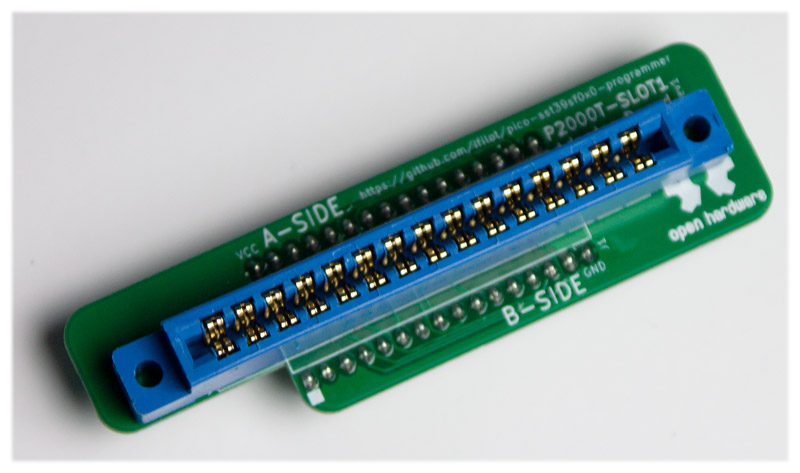
To connect to a P2000 SLOT1 cartridge using the PICO-SST39SF0x0 programmer, one can make use of the adapter board as shown in Figure 1.
Schematic
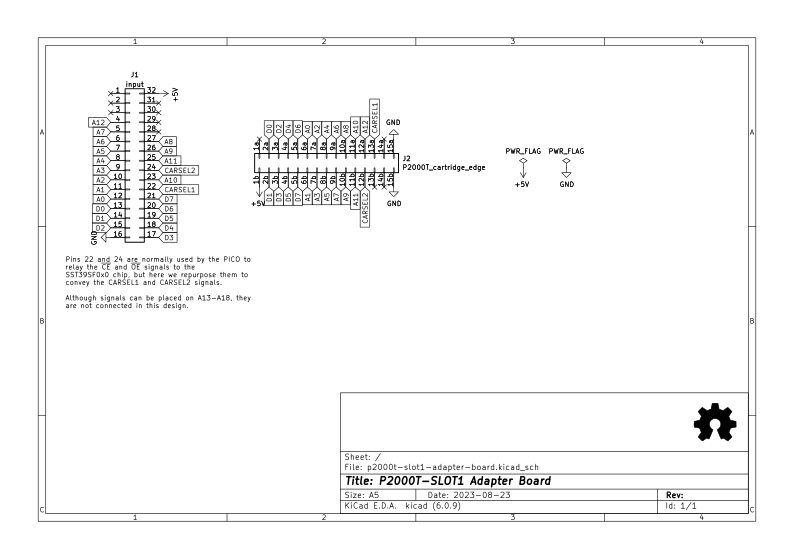
In Figure 2, the schematic of the adapter board is shown. The adapter board essentially
rewires the pins normally used to interface with the SST39SF0x0 type of chips in such
a way that it can directly interface with a P2000T SLOT1 cartridge. Note that the
CE (chip enable) and OE (output enable) signals for the SST39SF0x0 chip are repurposed
to act as the CARSEL1 and CARSEL2 signals.
Usage
Below follows a tutorial on how to extract the ROM data from a P2000T SLOT1 cartridge using the programmer.
Inserting the cartridge
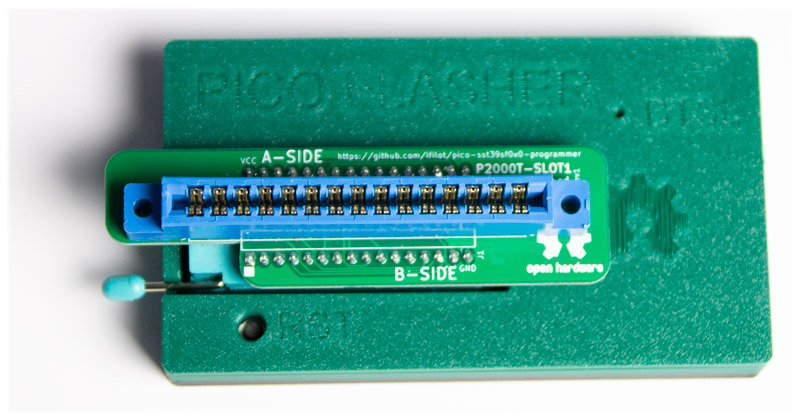
First, insert the adapter board into the PICO flasher as shown in Figure 3.
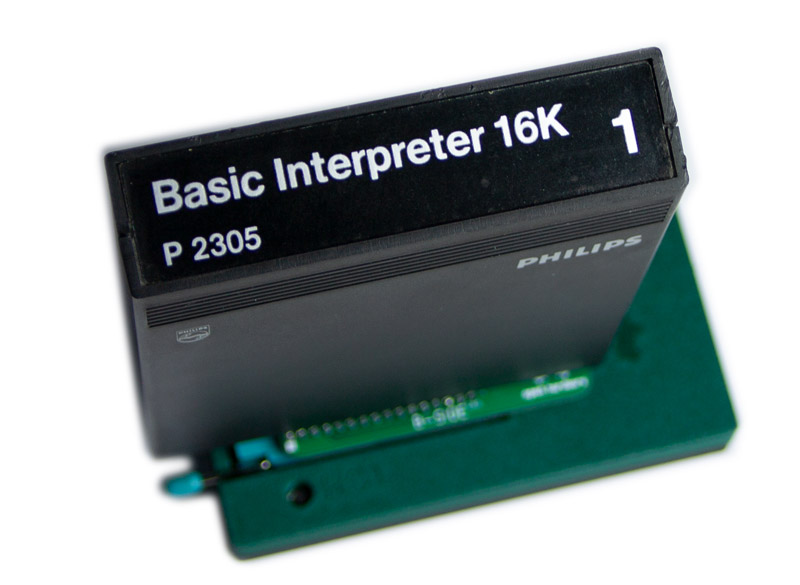
Next, insert a cartridge into the adapter board by sliding it carefully in and gentle pushing onto the cartridge from the top side until it snaps in, as shown in Figure 4.
Reading the ROM
Ensure you have version 1.1.0 or later of the PICO-SST39SF0x0 Programmer GUI installed. If not, you can find the latest version on the Github page. Open the program and connect to the PICO flasher.
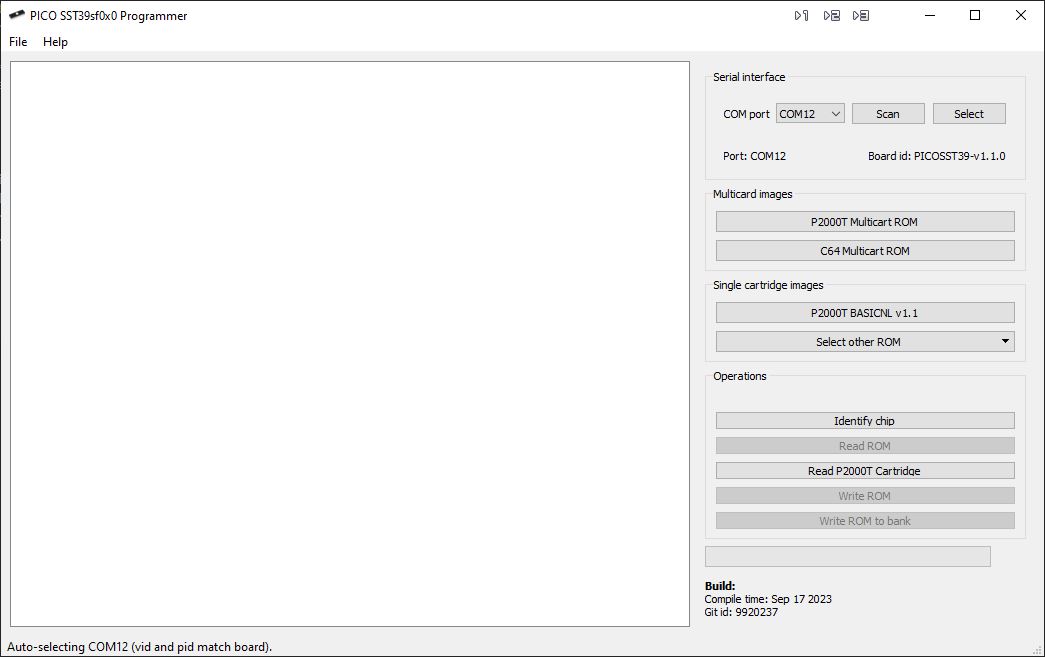
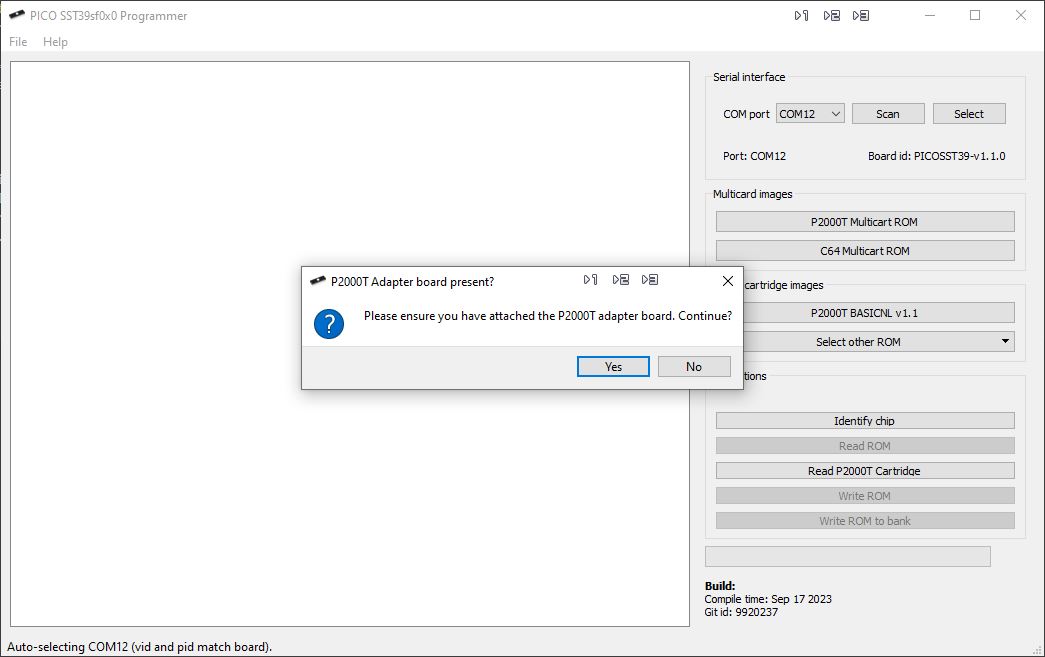
Click on the button Read P2000T Cartridge. The program will ask to confirm that you have correctly attached the
adapter board. Give your setup one more check and if everything looks fine, click on Yes.
The cartridge will now be read and the contents of the ROM chip is copied over to the PC and shown on the left hand side of the GUI in the hex viewer, as shown in Figure 7. Reading the contents of the cartridge should take less than a second.
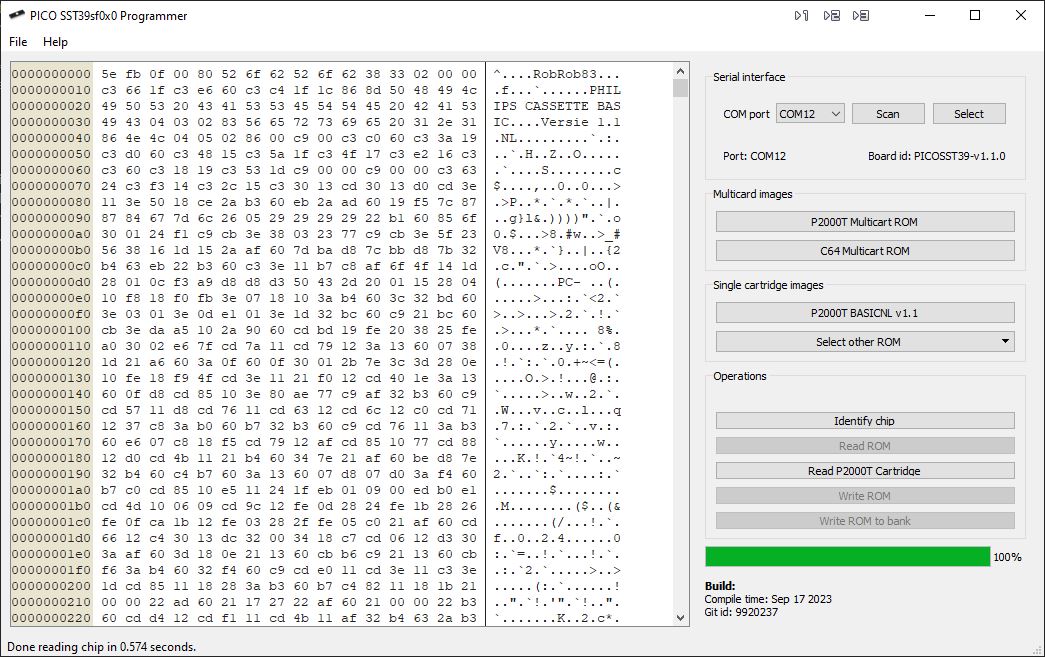
You can now save the contents of the cartridge on your computer via the dropdown menu File > Save.