
Writing 8088 assembly on the Philips P2000C
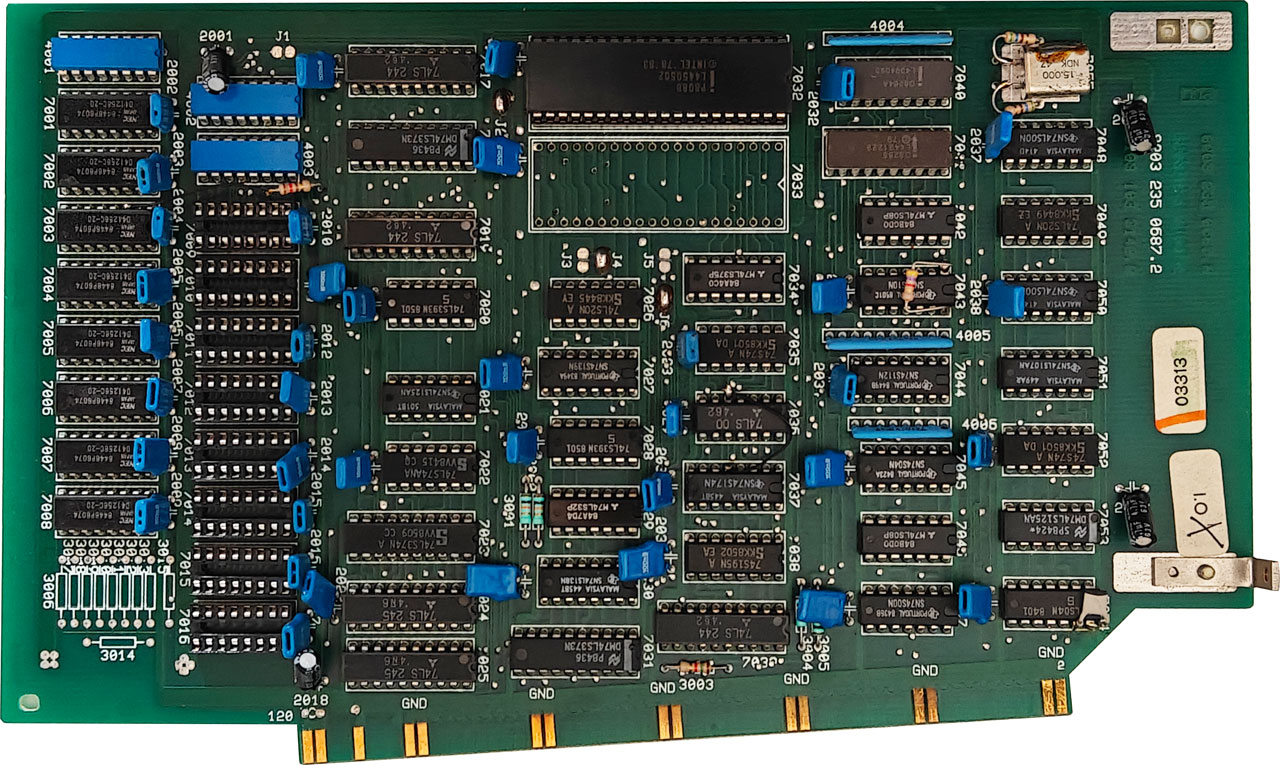
Roughly two weeks ago, I visited the Helmond Computer Museum and was extremely lucky to find a Philips P2000C for sale. It is a so-called luggable: in some ways a predecessor of modern laptops, designed by the Philips electronics company. The computer contains a Zilog Z80A processor running at 4 MHz.
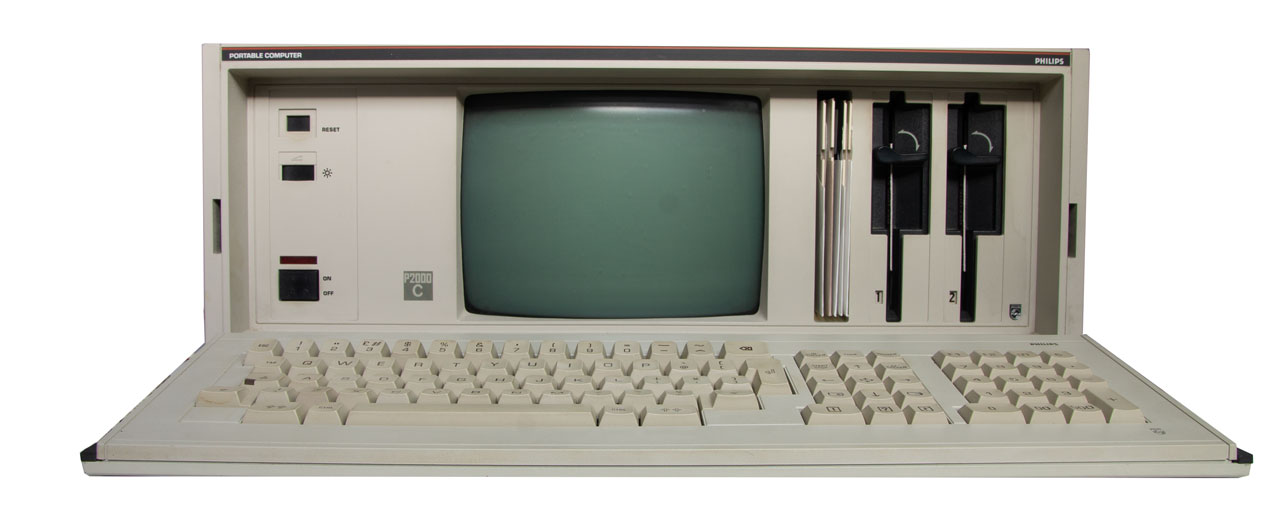
This machine was one of the later revisions, the P2012, equipped with two 640 KB floppy drives and a 16-bit CoPower expansion board hosting an Intel 8088 processor. It could be considered a gateway machine between the CP/M and MS-DOS eras: it can run both operating systems and transfer files between them.
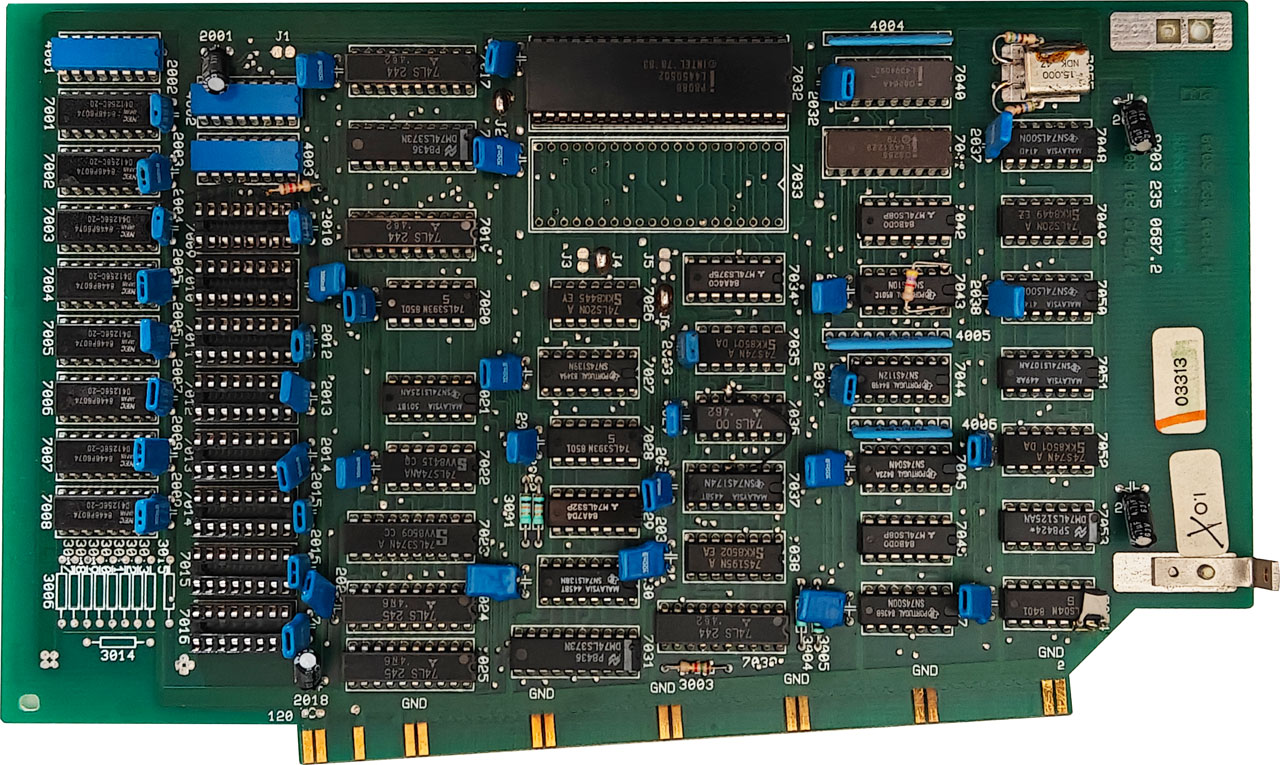
The P2093 CoPower board
The CoPower board uses two floppies. The first boots the system into CP/M, after which the user can run a secondary MS-DOS bootloader. Booting the P2000C from the first floppy yields the screen shown below.
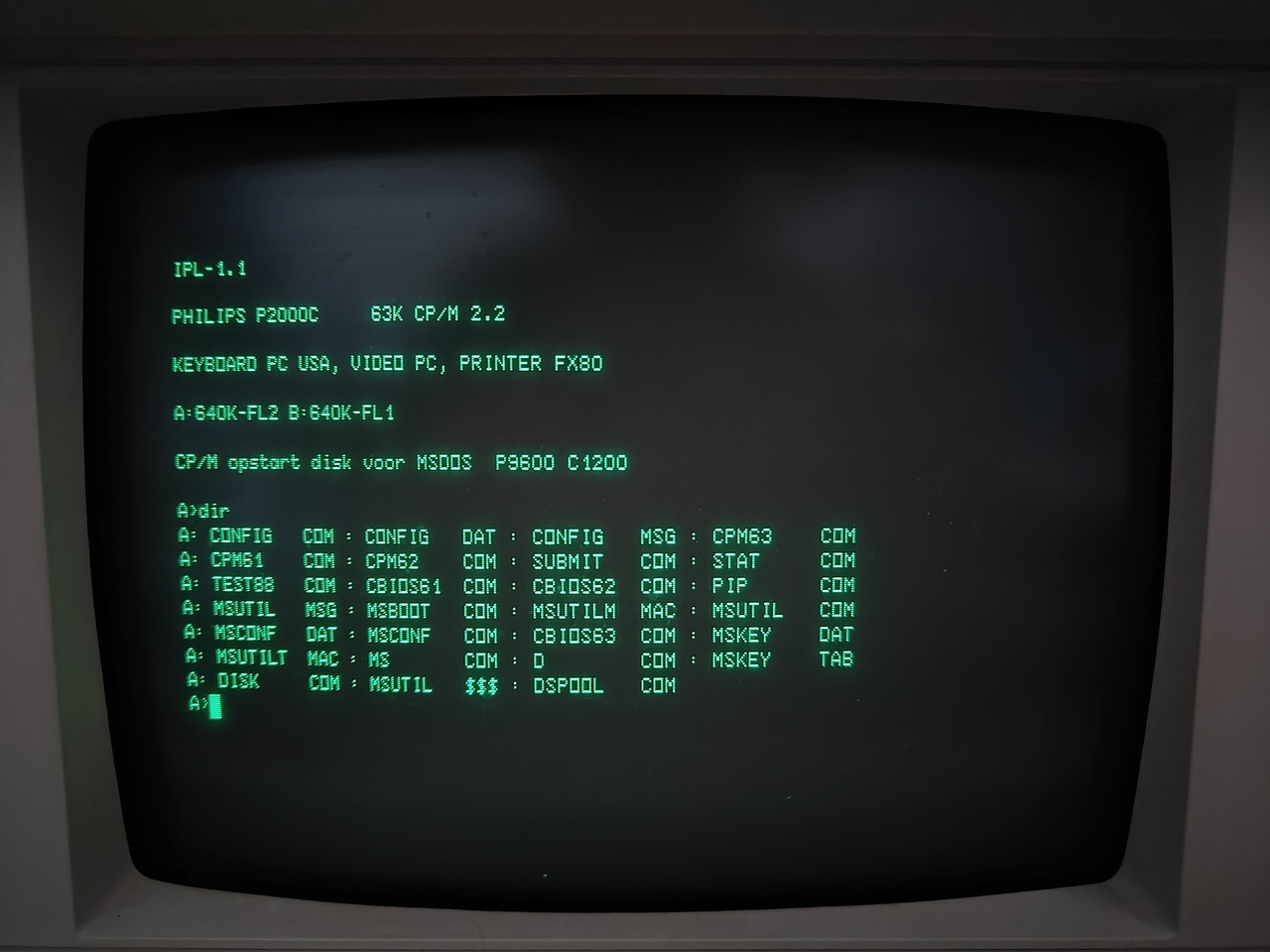
By running msboot, the MS-DOS 2.11 bootstrap is loaded.
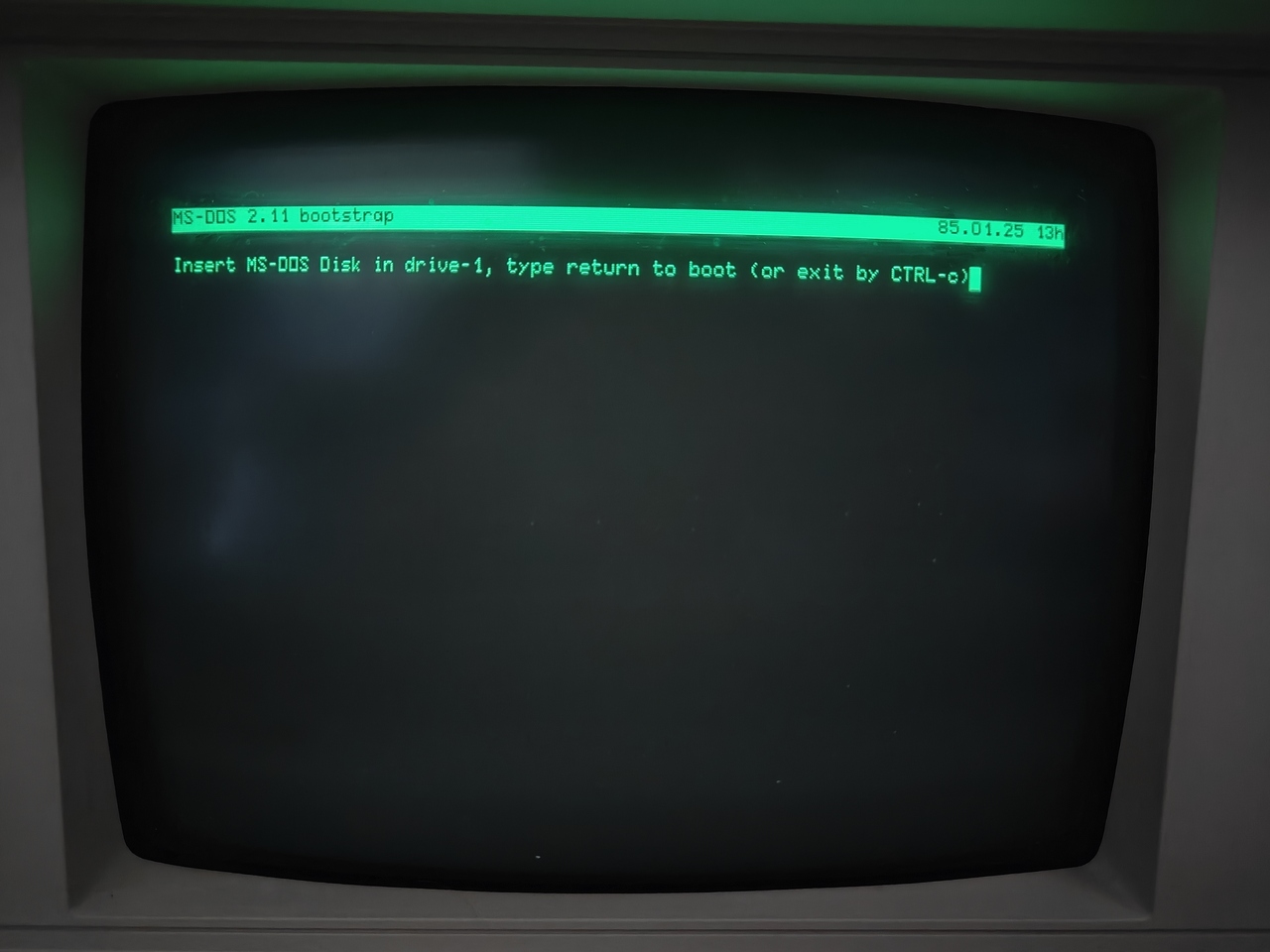
msboot, the MS-DOS environment is loaded.After that, the second floppy is inserted into the first drive and the MS-DOS environment loads. In this mode, the machine uses the memory on the expansion card rather than the memory connected to the Z80. It is still possible, however, to exchange data between the 8088 and Z80 processors, and even to execute instructions on the Z80 while in MS-DOS mode.
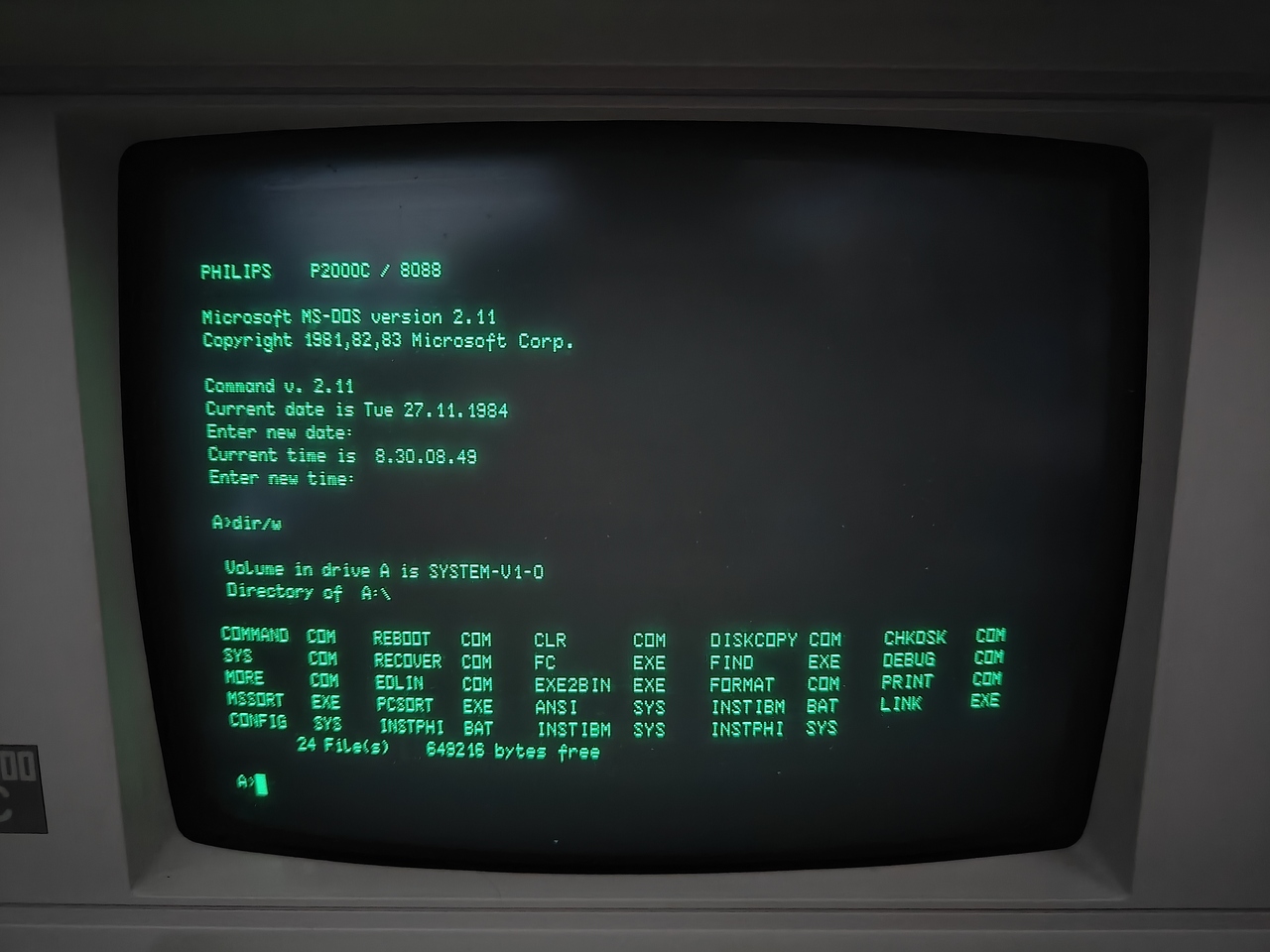
Programming Hello world in 8088 assembly
To showcase the MS-DOS environment, let us use DEBUG.COM, which is bundled with many MS-DOS versions. Debug is a relatively primitive inline assembler and disassembler. It can also perform memory dumps, read and write floppy drives, and show the processor registers. In the example below, we write a very simple Hello World! program in 8088 assembly, store it as HELLO.COM on a floppy disk, and run it.
- To start, run the Debug program by executing
debug - Type
aand hit enter to enter inline assembly mode. - Copy the instructions as shown below
mov ah,9
mov dx,109
int 21
int 20- After typing
int 20, hit enter twice to exit the inline assembler mode. - Now type
e 109 "Hello World!$"to write the stringHello World!starting at memory position0x109. The$acts as a terminating character. - At this point, the program has been entered into memory and we can save it to a floppy drive. To do so, we need to set the
CXregister to the number of bytes to write. This corresponds to0x16bytes. Typer CXto read the current value of theCXregister and provide a new value. Enter16. - Besides the number of bytes, we also need to specify a filename. This is done using
n b:\hello.com. - To start the write procedure, type
wand hit enter. The program will respond that0x16bytes have been written. You will also hear the floppy drive writing the data to the disk.
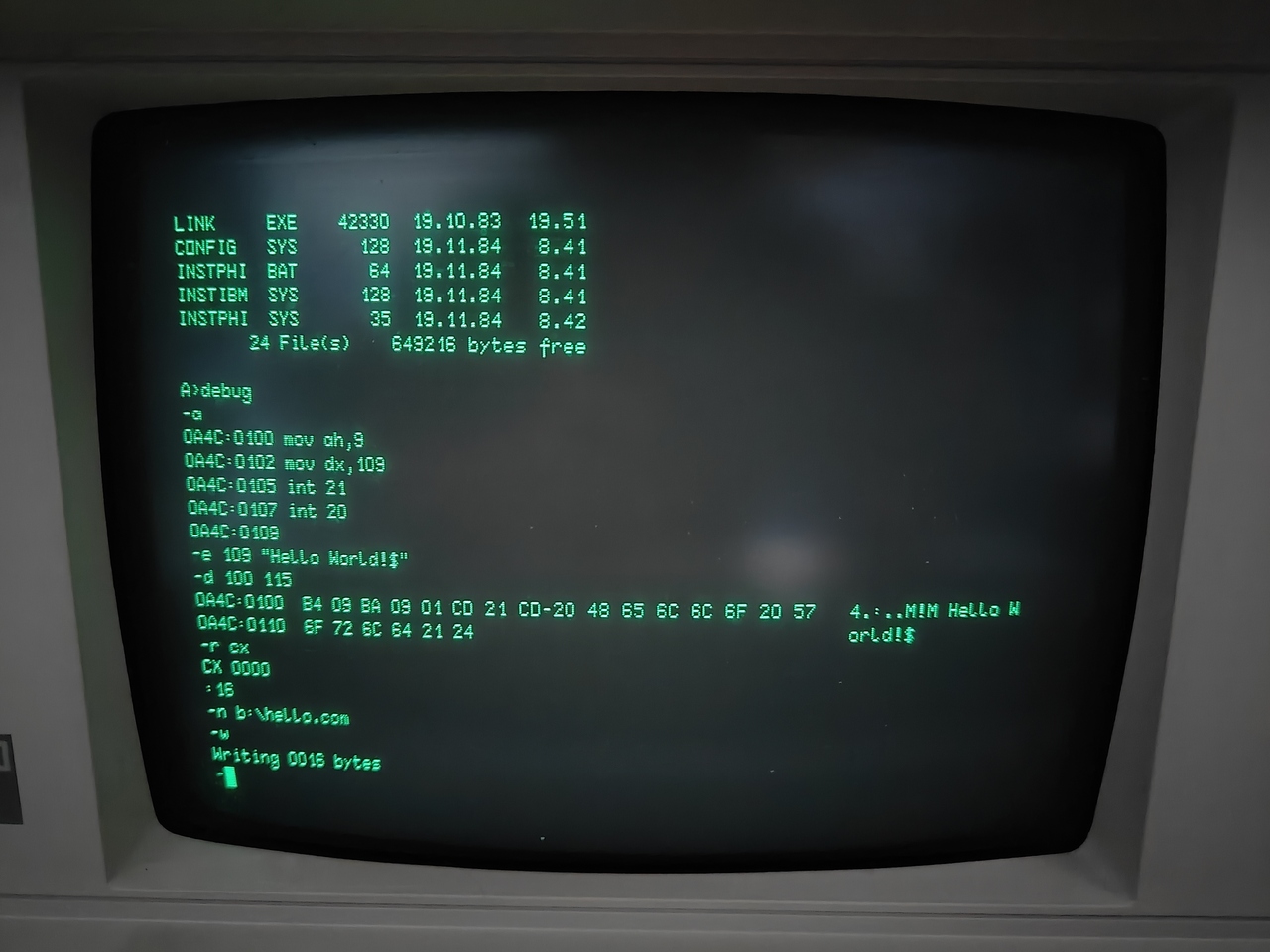
At this point, there are two options. The program can be run directly from the debugger with g, or we can exit Debug by typing q and run the program from MS-DOS. We will do the latter. After exiting the debugger, type b: to switch to the second floppy drive and run dir/w to see which files are stored there. Finally, run HELLO.COM by typing hello. As shown below, the Hello World! string is printed to the terminal.
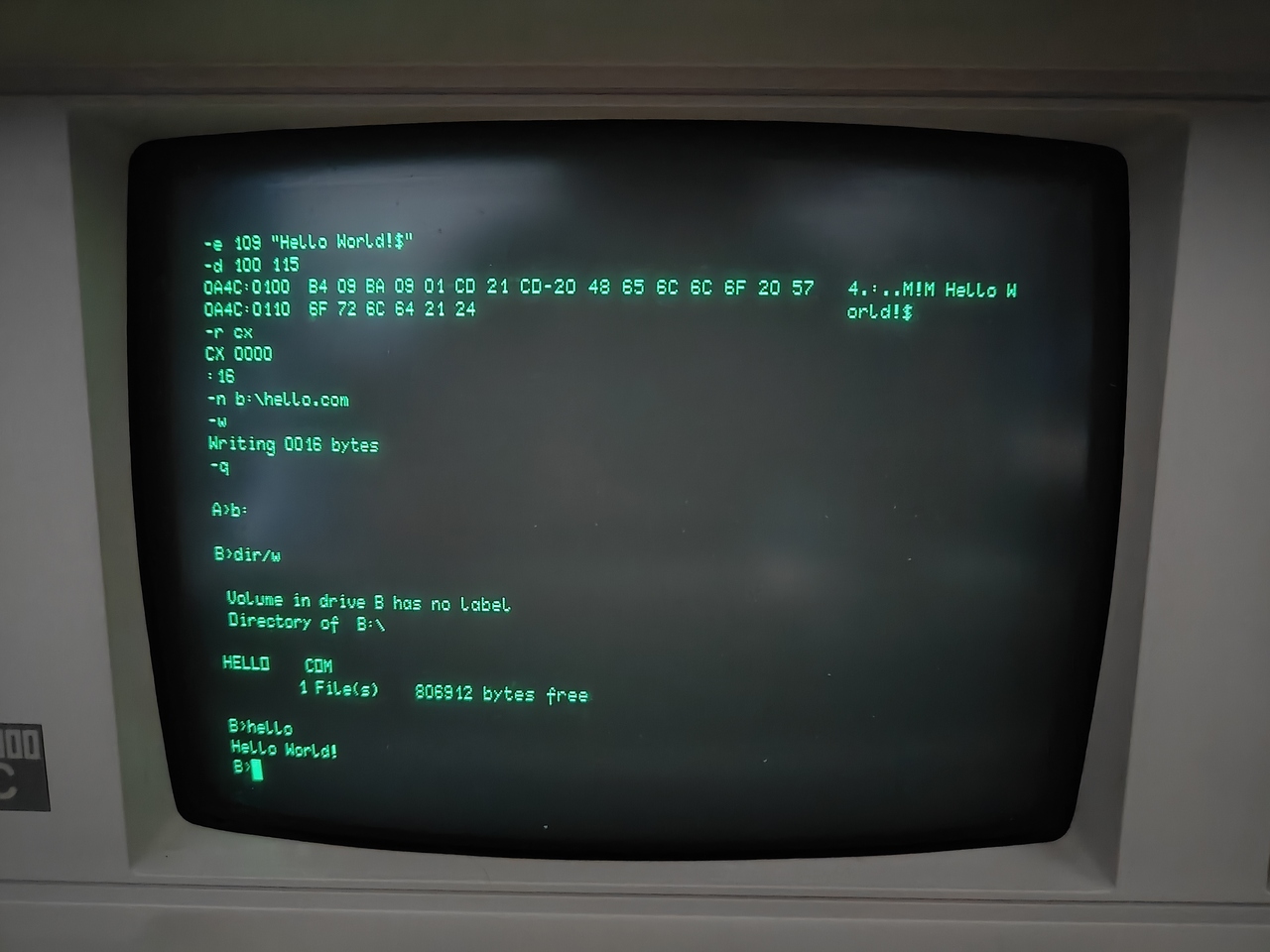
HELLO.COM executable.Relevant reading material
Before one gets the impression that the P2000C has a fully fledged, 100% compatible MS-DOS system: it does not. Not all interrupt routines are recognized, and some routines that interface with specific hardware simply will not work. Before programming anything in 8088 assembly on the P2000C, it is highly recommended to read the manuals. A large collection of manuals can be found here. In particular, P2093_CoPowerBoard0-8.pdf and P2093_CoPowerBoard9-10.pdf are must-reads from that archive. Another useful resource is this Interrupt Services overview.
Final remarks
Although Debug is readily available, its usefulness is rather limited when writing assembly. For one thing, it has no support for labels. The displacement addresses for call or jmp routines have to be calculated manually, which can quickly become a chore. For anything larger than, say, 100 bytes of instructions, it is better to use a more capable assembler. Many free native 8088 assemblers exist.