
Driving serial communication in CP/M on the P2000C using Z80 assembly
Introduction
Although the Philips P2000C can use an 8088 CoPower board, it is first and foremost a CP/M machine. CP/M (Control Program for Microcomputers) was an early operating system developed by Gary Kildall in 1974 for Intel 8080 microcomputers. It became one of the first widely used operating systems for personal computers, providing file management, device input/output control, and program execution. CP/M was particularly influential because it allowed software to run on different hardware platforms, establishing an early form of software portability. It also influenced the development of MS-DOS, which became dominant in the 1980s.
System calls
MS-DOS and CP/M share many architectural similarities, particularly in how they handle system calls and hardware interrupts, since MS-DOS was heavily influenced by CP/M. Both systems provide system calls, or “function calls”, through a software interrupt mechanism, making it easy for applications to access services such as file management and input/output.
In CP/M, system calls are invoked using the CALL 5 instruction, which uses memory location 0005h as the system entry point. CP/M uses function codes passed via register C, with associated parameters passed via register DE, to specify operations such as reading and writing files, manipulating disks, or performing serial communication. Similarly, MS-DOS uses the INT 21h interrupt as its main mechanism for invoking system calls. A function number is passed through the AH register to specify the desired service, such as file operations, device I/O, or memory management.
Serial communication
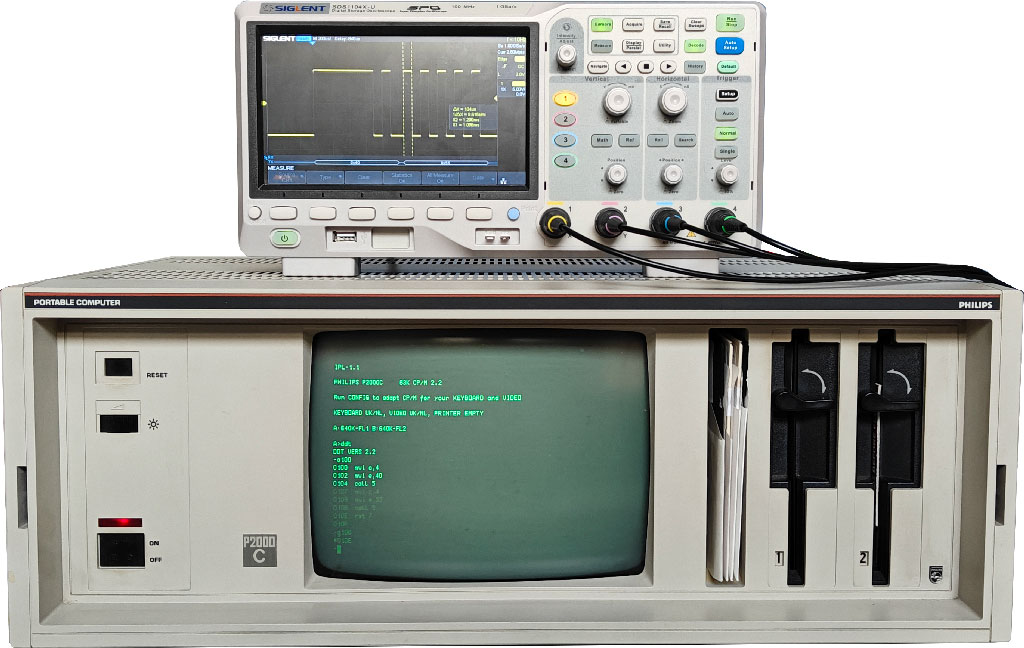
Whereas serial communication is handled in MS-DOS on the P2000C via INT 14, in CP/M it is assigned to BDOS functions 3 and 4, corresponding to raw console input and output respectively. To test serial communication, I connected an oscilloscope to the P2000C as shown below.
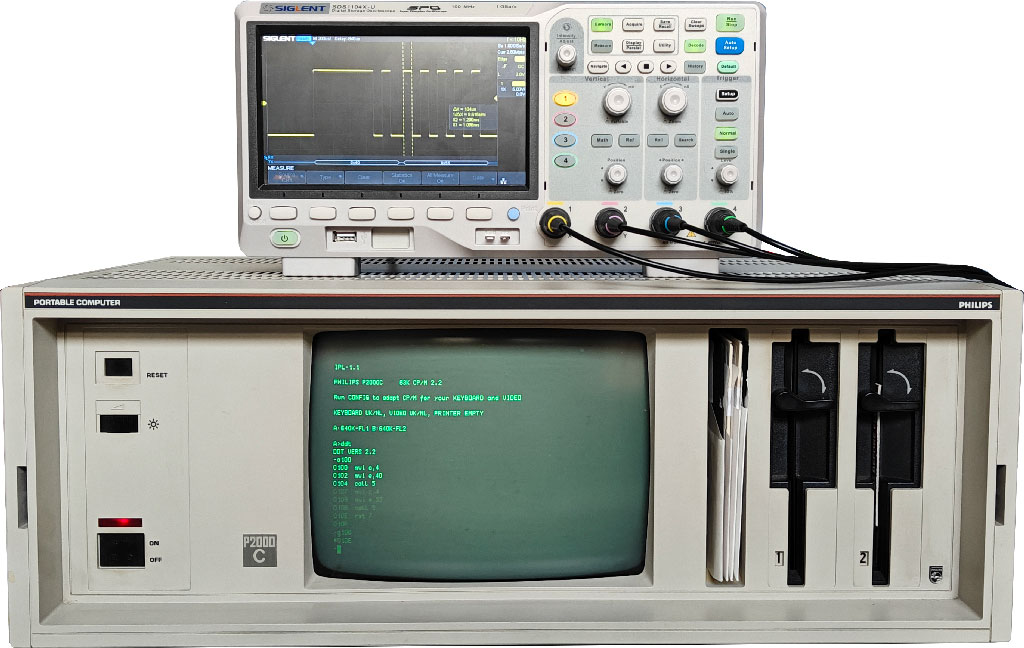
Similar to DEBUG.COM in MS-DOS, CP/M includes DDT, the Dynamic Debugging Tool. It uses nearly the same syntax as DEBUG.COM. To draft a small program, start by typing a100, which starts the inline assembler at $100. Next, enter the following program:
mvi c,4
mvi e,aa
call 5
mvi c,4
mvi e,55
call 5
rst 7
The MVI command places a value in a register. CALL jumps to a routine in memory and returns afterward. Finally, RST 7 returns to DDT via a so-called reset instruction. Once the program is placed into memory, run g100 to start it. Upon execution, the oscilloscope shows the result below.
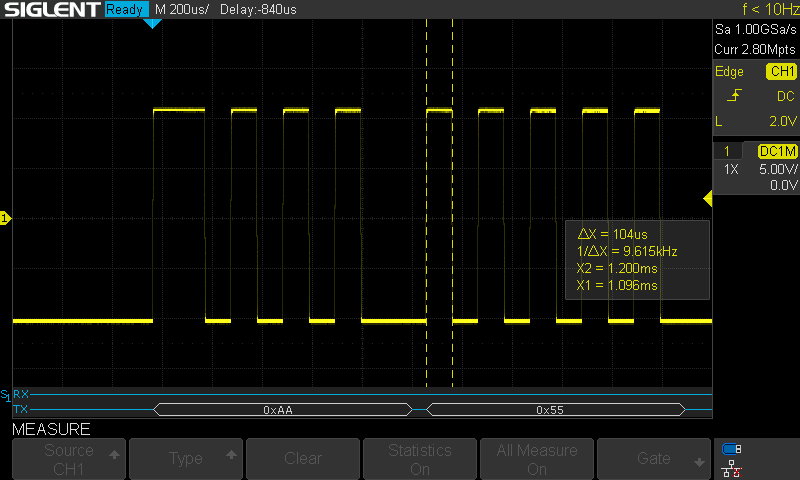
From the oscilloscope output, we can observe that two bytes have been sent: 0xAA and 0x55. We can also see that, by default, serial communication runs at 9600 baud, uses a single stop bit, and has no parity checking.
Having figured out the communication protocol, writing a program that does the reverse, receiving a character over the serial port, is fairly trivial. The only missing ingredient is how to output a character to the screen. For this, we can use BDOS function 2. The complete program looks as follows:
mvi c,3
call 5
mvi c,2
mov e,a
call 5
rst 7
The only new instruction here is MOV, which copies the value from one register to another. Upon execution, once a character has been received over the serial port, it is printed to the screen.
Further reading
Below, I provide a number of useful web pages when you work with the Z80 assembly.